


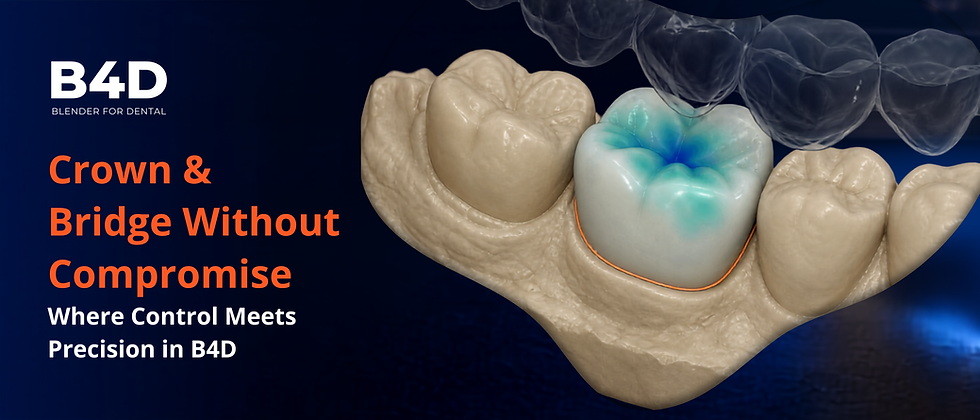
Crown and Bridge Without Compromise: Where Control Meets Precision in B4D

Margin prediction, live occlusal trimming, 0.1 mm supportive edges, and emergence profile refinement — automation that reduces your editing time without ever taking your judgment off the table.
The Problem Every Experienced Designer Already Knows
You have spent years — maybe decades — developing a feel for margins, contacts, and occlusion that no default setting can replicate. And you have also watched the industry try to replace that feel with automation: one-click crowns that look acceptable from a distance but collapse under scrutiny at the margin, the contact, or the emergence profile. The result is the same trap most clinicians already fear: you become an approver of decisions you never made.
The professional question is no longer "can software design a crown?" — it is "can I control the design while software removes the tedious parts?" That is the bar B4D holds itself to in the Crown and Bridge Module, and it is worth examining closely, because the details are where the difference shows.
A Crown Workflow That Assumes You Understand Anatomy
Open the Lower Crown workflow and notice what is not in it. There is no auto-fit that skips the margin. No invisible spacer. No black-box occlusion adjustment. Instead, the workflow moves through the sequence an experienced designer would choose anyway — and keeps every decision visible and reversible.
The lower surface is drawn from the existing margin, so fit begins at the clinical margin line, not at a software approximation. The library tooth is positioned, scaled, and rotated by hand — anatomy as a starting point, not a template forced onto the preparation.

Contacts are painted deliberately, blockouts are performed, and a supportive edge is added at 0.1 mm before die spacers and safety zones are applied. That 0.1 mm edge is a small detail most workflows bury; B4D puts it explicitly in your hands, because you are the one who answers for the cement space when the crown comes back from the mill.

Then comes the part that most rewards experience: the antagonist is used as a live cutter. While you sculpt, the opposing arch trims the restoration in real time. Occlusion is not verified once at the end — it is maintained continuously throughout the design, and the buccal cusp morphology stays under your control rather than being flattened by an occlusal optimizer. Only after generation do you refine: contacts shaped precisely, margins and emergence profile smoothed by hand, antagonist unhidden for a final check of occlusion, fit, and contacts.

For the experienced eye, the value proposition is clear. This is not a faster way to avoid thinking. It is a workflow fast because you are thinking — every tedious manual step is either precise-by-design (the 0.1 mm edge, the automatic spacers) or handled by tools that respond to your input (live trimming), while the decisions that define quality remain yours.
What Professionals Will Appreciate in the Bridge Workflow
The One-Unit Bridge video adds a layer worth studying, starting with structure. Library teeth are imported and unified with a 3.5 mm radius into a single smooth body — a deliberate choice that gives the bridge a continuous ridge form from the outset, rather than a collection of teeth awkwardly welded together. From there the same disciplined sequence applies: contact painting, blockouts, supportive edges, automatic spacers.
Two features in this workflow deserve particular attention from anyone designing bridges at volume.
Margin prediction in the Wax Up Module. This is the newest capability, and it is the most philosophically interesting one. You place seed points, the surface is segmented, and the margin is extracted automatically — cutting manual margin editing time dramatically. But here is what matters: the segmentation is B4D's own tooling, not an opaque third-party engine. It behaves the way a human-controlled tool should — it proposes, you inspect, you adjust. The same investment in human-controlled AI coding runs through B4D's own segmentation suite, including Airways, and that consistency matters in a clinical setting: you are learning one trust model across the whole platform, not gambling on different black boxes for different tasks.
Live trimming with an offset cutter. Against the antagonist, the bridge is trimmed with a configurable offset — which means you can protect the buccal cusps while reducing the lingual, keep contacts intact while opening the fossa, and manage the occlusal scheme by zone rather than by global smoothing. The bridge is then generated by subtracting the model from the fitting surface, and the Auto Contact Cutter finishes the contact areas. And the video is explicit about what automation stops doing: final refinements — ridge overlapping, thickening contact areas — are left to hand sculpting. The software knows its limits; so should yours.

Feature | What It Does | What Stays in Your Hands |
Margin prediction (Wax Up Module) | Seed points + surface segmentation extract the margin automatically | You inspect, adjust, and approve every margin |
3.5 mm unification radius | Library teeth merge into one smooth bridge structure | You control the ridge form and pontic design |
Offset live trimming | Antagonist cuts the restoration during sculpting, per zone | Cusp height, fossa depth, and contact protection are your choices |
Auto Contact Cutter | Shapes and smooths contact areas after generation | Optional hand sculpting for ridge overlap and contact thickness |
Generation by subtraction | Model subtracted from the fitting surface for exact fit | Margin strategy and spacer values are defined by you |
Speed as a Consequence of Control
Watch Crown and Bridge in Action and the whole philosophy compresses into about seventy seconds of screen time: file opened, arch shaped, crown built, margins smoothed, bite checked, cusps aligned — one platform, no handoffs. But the speed is not the headline. The headline is that nothing in that minute required permission.
For a professional, the economics of "permission" are real. Subscription dental software taxes you twice: annually in fees, and continuously in small concessions — export limits, module gating, update cycles that retrain your team every year. B4D's buy-once-for-life model removes both taxes. There are no update fees and no export fees, so a case moved from clinic to final restoration is yours to manage end to end, and the skills you build on this platform compound without expiry. When the industry's loudest message is "let the AI handle it," B4D's is quieter and harder to argue with: "Own it."
Depth Without Dumbing Down
There is a way to write about dental software that flatters the reader's intelligence and a way that patronizes it. The Crown and Bridge Module takes the first road consistently: precise parameter values (0.1 mm supportive edges, 3.5 mm unification radii), explicit sequences, tools with clearly stated limits, and automation that reduces editing time rather than replacing judgment. That is what experienced designers mean when they say a tool respects them.
The question we put to every feature before it ships is the same one we put to every piece we publish: does this make the reader feel more capable, not more dependent? Margin prediction passes that test because it hands you back hours of repetitive work while leaving the margin — the most consequential line in the design — under your eyes. Live trimming passes it because the occlusion you achieve is the occlusion you chose. Ownership passes it because your investment in the platform, like your investment in your own skill, never has a renewal date.
Ready to Put It to Work in Your Cases?
If you have been waiting for a crown and bridge workflow that matches how you actually think — precise, transparent, and yours — the Crown and Bridge Module is built for that standard. It carries no subscription, no export fees, and no expiration, and it sits inside a platform where the same human-controlled philosophy extends to B4D's own segmentation tools, including Airways.
Your judgment built your career. Keep it on the table.
Questions? Reach us at marketing@blenderfordental.com.
Connect with the Community
• Instagram: @blenderfordental
• Facebook Group: Blender for Dental Community
• YouTube: Blenderfordental Tutorials
Editor's Credit
This article was edited and curated by Dr. Samira Alrefaey, Blog Editor & Marketing Specialist at BlenderforDental. Through this technical exploration, we continue our mission to empower clinicians and designers with the thinking tools necessary to redefine what is possible in digital dentistry — one case, one breakthrough, one precise measurement at a time.


Comments