


The Guide That Wasn’t Finished Yet: Rescuing a Stackable Surgical Guide Inside B4D

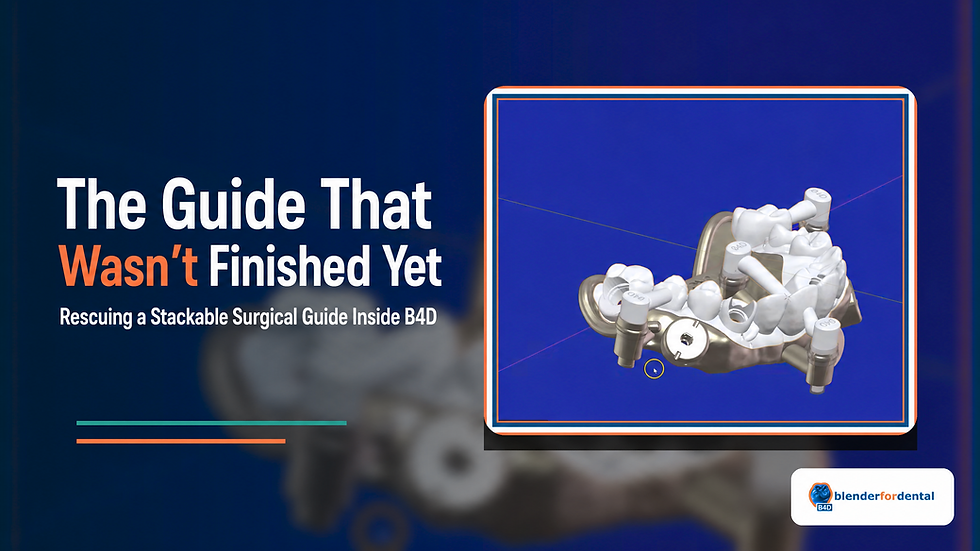
There is a quiet moment in digital dentistry that does not receive enough attention. It is the moment when a case arrives from another system and the designer realizes that the work is not wrong, but it is not finished either. The guide exists. The holes exist. The fixation assemblies are present. The anatomy is visible. Yet the design still needs a human decision.
That is why this B4D story matters. It is not a story about designing a surgical guide from the beginning, and it should not be read as a tutorial. It is a story about rescue, adaptation, and control. A stackable guide created elsewhere enters the B4D workspace, and instead of being treated as a closed object, it becomes editable, inspectable, and improvable.
For clinicians and designers who have ever felt trapped between what another software exported and what the case still required, this workflow carries a deeper message. B4D is not only a place where objects are made. It is a place where imported geometry can be questioned, strengthened, reorganized, and brought closer to the clinical intention behind it.
The most powerful moment in digital design is often not the first design. It is the moment you are free to correct the design before it becomes real.
When an Imported Guide Asks for Judgment
The guide appears in the B4D viewport with the familiar weight of a nearly completed case. It has the shape of the arch, the presence of fixation, and the recognizable logic of a stackable system. At first glance, it looks like an object that has already made its decisions.
But the screen tells a more subtle story. The fixation cylinders sit close to the body of the guide. Existing holes must be respected. The arch form is not simply decorative; it carries the path the guide will take when it is seated. A careless cut could remove too much. A careless reinforcement could block what needs to remain open. A careless attachment could make the stackable layers fight each other instead of joining predictably.
This is where B4D’s philosophy becomes visible. The imported object is not treated as untouchable. It is brought to the center, aligned, rotated, studied, and prepared for decisions that depend on the case rather than the software that came before it.

Narrative Moment | What the Designer Is Really Protecting | Why It Matters |
Centering the imported guide | Spatial orientation and visual control | The case must become readable before it becomes editable. |
Studying fixation assemblies | Existing holes and hardware relationships | The design cannot be improved by damaging the parts that already matter. |
Choosing the cut path | Seating logic and future stackability | A split must respect the guide’s mechanical purpose, not only its shape. |
The first transformation is therefore not a dramatic command. It is a change in attention. The designer stops seeing the guide as a single exported file and begins seeing it as a living assembly of risks, clearances, surfaces, and future movements.
The Cut That Learns to Avoid the Important Parts
In many digital workflows, a cut is imagined as a simple line through a body. In this case, the cut is more like a negotiation. It has to pass through the guide without disturbing the features that allow the guide to function. It has to separate what needs to be separated while leaving the fixation logic intact.
The bone cutter, represented by a manipulated subdivided plane, becomes less like a blade and more like a decision surface. It bends into the case. It rotates until the relationship feels more honest. It responds to the arch instead of forcing the arch to obey a flat idea. The act is technical, but the meaning is clinical: the designer is looking for the least disruptive place to create a new relationship.
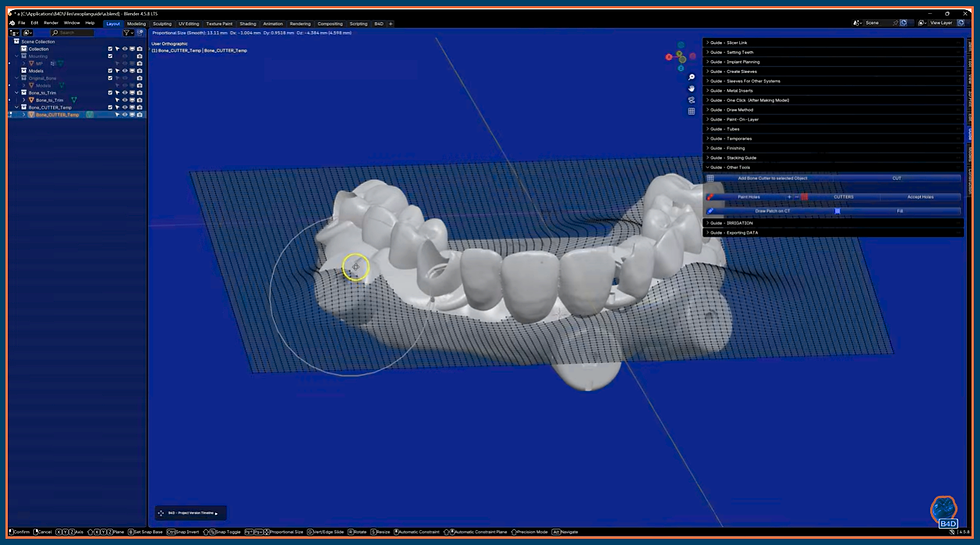
What makes this moment important is restraint. The purpose is not to show that B4D can cut geometry. The purpose is to show that B4D lets the user decide how geometry should be cut. Proportional editing and rotation are not presented here as tricks; they become the digital equivalent of slowing down, changing the angle of view, and choosing a path that respects what is already there.
When the split is complete, the guide no longer feels like an imported compromise. It feels like an object that has been listened to. The separation does not erase the original design; it gives the design a chance to become more usable.

A good cut does not announce itself by how much it removes. It proves itself by how much it preserves.
The Fragile Span and the Need for Strength
Once the guide is separated, a second truth appears. Some areas that looked acceptable as part of a whole may become vulnerable once the guide is divided. Thin sections, open spans, and narrow connections can carry a quiet risk. They may look clean on screen but lack the confidence needed for handling, printing, assembly, or clinical use.
This is the kind of problem that often separates automated design from human-led design. Automation may produce a shape that satisfies a rule, but the designer sees the emotional reality of the object: if this section feels fragile now, it may become a problem later.
The response in B4D is not to overbuild the guide everywhere. It is to strengthen with intention. A tube is drawn along the vulnerable region, shaped to follow the guide, and brought into relationship with the surface. The reinforcement does not replace the guide’s original geometry. It supports it.

The beauty of this moment is that strength is treated as a design language. The tube follows the case. It is adapted, shrink-wrapped, and unified so that the final guide does not feel like a fragile object patched from the outside. It begins to feel more continuous, more resolved, more ready to survive the physical world.

Before the Intervention | After the Intervention | The B4D Design Lesson |
Thin guide sections create uncertainty. | Reinforcement is shaped where the case needs support. | Strength should be placed, not guessed. |
The imported geometry limits what can be changed. | The designer can add, adapt, and unify new geometry. | B4D gives imported objects a second design life. |
The guide looks complete but may not feel robust. | The guide reads as a more confident assembly. | Digital dentistry must anticipate physical handling. |
Stackability Is a Relationship, Not a Layer Name
After the guide is split and strengthened, the story moves into its most mechanical chapter: the stackable relationship. A stackable guide is not successful simply because layers exist. It succeeds when those layers know how to meet, seat, lock, and separate when needed.
This requires organization. The components are placed into meaningful collections, and the relationship between primary and tertiary elements becomes clearer. This is not administrative housekeeping. It is how the designer prevents the case from becoming visually and mechanically confusing.


The clip attachments then enter the scene. At first, they are separate elements, hovering near the guide like questions waiting for alignment. Their placement cannot be arbitrary. They must follow the path of insertion, respect the existing guide shape, and connect the layers without introducing a new conflict.
In a closed workflow, this may be the moment where the user hopes the preset understands the case. In B4D, the designer stays close to the attachments. They are positioned, duplicated, oriented, and evaluated in the same space as the guide itself. The path of insertion becomes visible not as a line in a manual, but as a spatial relationship that the designer can actually judge.

From Loose Attachments to a Locked Assembly
The final transformation is not loud. It happens when separate components begin to behave as one intentional system. The clips are locked, extended into the layer, and unified with the guide body. What began as imported geometry has now become a more coherent stackable assembly.
This is the moment where the earlier decisions prove themselves. The split matters because it created access without destroying the original logic. The reinforcement matters because it protected the guide from becoming too delicate. The organization matters because the layers need to remain understandable. The attachments matter because stackability depends on repeatable mechanical relationships.


What is most compelling is not that a guide was split, strengthened, and fitted with clips. Those are the visible actions. The deeper story is that B4D allowed the designer to stay in conversation with the case. The workflow did not demand blind acceptance of another software’s export. It allowed revision.
B4D turns the imported guide from a finished file into an unfinished conversation — and that is where better design begins.
Why This Story Belongs to the Larger B4D Philosophy
This case is a powerful reminder that the future of digital dentistry is not only about faster automation. It is about better control at the moments when automation reaches its limits. A stackable guide created elsewhere can still need adjustment. A thin span can still need strengthening. A clip attachment can still need a more thoughtful path of insertion. A layer can still need clearer organization.
B4D’s value is that it keeps these decisions visible. The platform supports human-led design, geometry inspection, mesh editing, segmentation logic, and controlled refinement rather than hiding the case behind a black box. That matters across many areas of digital dentistry, from full-arch design to model preparation, stackable systems, partial workflows, and the evolving segmentation tools within the B4D ecosystem, including areas such as Airways where B4D continues investing in controlled AI-assisted capability.
The lesson is not that every clinician should spend more time editing for the sake of editing. The lesson is that when a case asks for intervention, the software should not stand in the way. It should make the intervention possible, visible, and teachable.
Ready to Start Your Own B4D Journey?
If this story resonates, it is probably because you have seen a digital case that looked nearly complete but still needed your judgment. That is where BlenderforDental becomes more than a software purchase. It becomes a skill-first environment where designers and clinicians can adapt, repair, strengthen, inspect, and refine the geometry that other workflows may leave behind. watch the BlenderforDental tutorial "How to make a stackable guide from other software.” through the official Blender for Dental YouTube channel.
Explore the B4D ecosystem at blenderfordental.com, and visit the B4D shop to find modules and workflows that support your next stage of digital dentistry. Whether you are building full-arch confidence, refining surgical guide workflows, learning model design, or expanding into advanced segmentation and stackable systems, the invitation is the same: choose tools that make you more capable, not more dependent.
Connect with BlenderforDental
•Instagram: @blenderfordental
•Facebook Group: Blender for Dental Community
Editor’s Credit
This article was edited and curated by Dr. Samira Alrefaey, Blog Editor and Marketing Specialist at Blender for Dental. Through stories like this, we continue highlighting the moments where digital dentistry becomes more human: the quiet corrections, the thoughtful adjustments, and the design decisions that help clinicians turn complex geometry into confident clinical work.


Comments